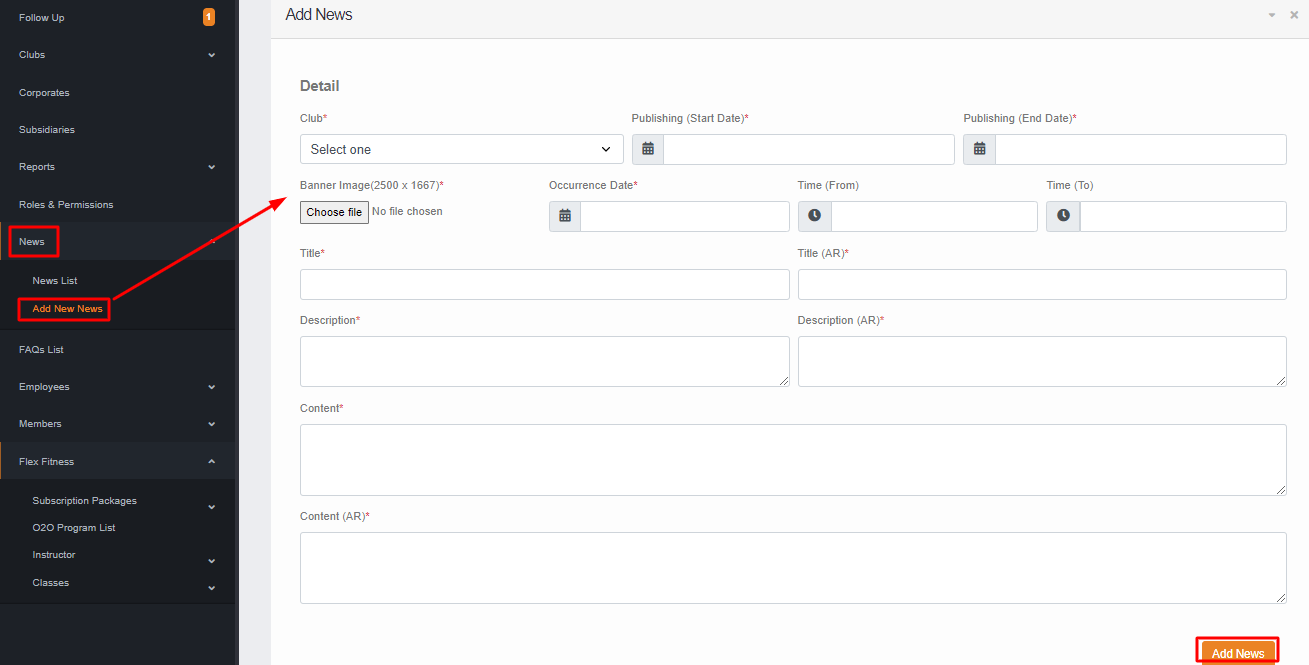
News/ Add New News
In the news section, you can add the News & Event that will appear on the website & Mobile.
To add the news you have to click on ADD NEW NEWS where you have to
- Select the club.
- Select the publishing start date & End date for when the news will be published for the member/public.
- Select the banner image up to 2500*1667
- Select the news occurrence date.
- Select Start & End time for the news. (optional)
- Give News Title in ENG & AR for the News & Event.
- Give the News Description in ENG & AR up to 180 characters.
- Give the Content of the news & event in ENG & AR. Then click on ADD NEWS the news will be added and you can see the news from NEWS LIST.